DevPulse - Performance HUD for Developers
Real-time performance overlay for web developers. Monitor FPS, DOM nodes, memory, long tasks, and Core Web Vitals - right on the page.
FPS
live on-page monitoring
LCP
Core Web Vitals coverage
$2.99
one-time premium unlock
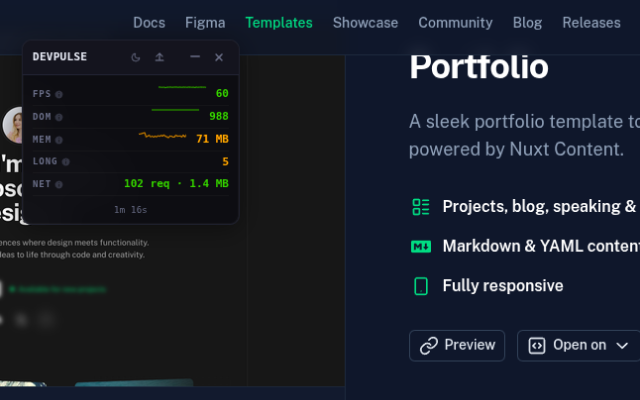
Live preview
On-page FPS, DOM, memory, Web Vitals, network stats, and export.
Product tour
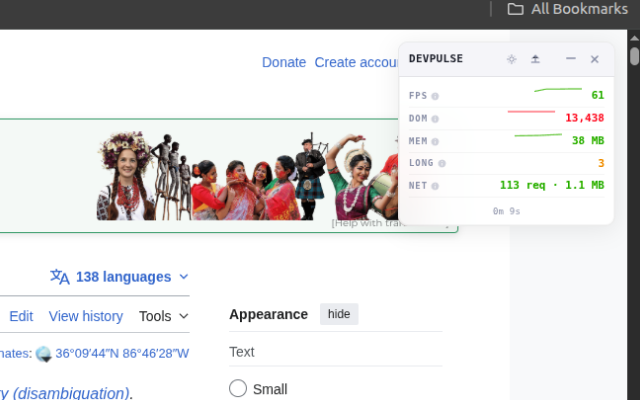
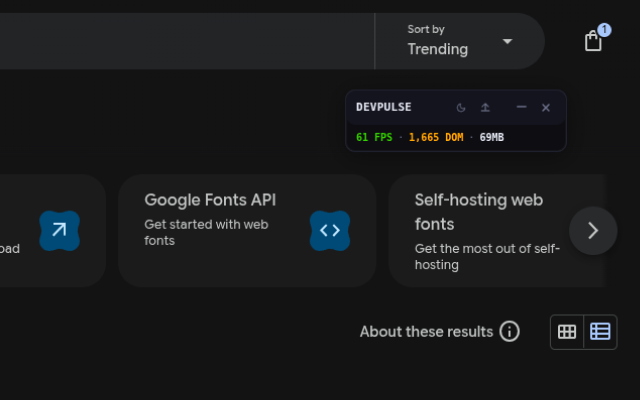
See the extension in action.
Feature set
Performance monitoring without the overhead
DevPulse puts the right metrics directly on the page, so you can catch issues without opening another panel or breaking your workflow.
Real-Time FPS & DOM
Monitor frames per second and DOM node count with live sparkline history. Color-coded thresholds highlight performance issues instantly.
Memory & Long Tasks
Track JS heap memory usage and detect long tasks blocking the main thread. A live badge shows recent long task activity.
Core Web Vitals
Monitor First Contentful Paint and Largest Contentful Paint with color-coded thresholds matching Google's performance guidelines.
Network Overview
See total request count and transfer size at a glance. Spot unexpected network activity without opening DevTools.
Dark & Light Themes
Switch between dark, light, and system themes. The HUD adapts to your preference and remembers it across sessions.
Shadow DOM Isolation
The HUD runs inside a closed shadow DOM - it won't interfere with your app's styles, frameworks, or DOM structure.
FAQ
Everything you need to know.
Straight answers on pricing, privacy, browser support, and how the extension behaves in real workflows.
Install
Free core metrics. Premium for $2.99.
FPS and DOM monitoring are free. Unlock memory, long tasks, Web Vitals, network stats, and JSON export with a one-time purchase.