FormForge - Smart Form Filler for Developers
One-click realistic fake data for any form. Smart field detection, locale-aware generation, custom profiles. Built for localhost, works everywhere.
7
supported locales
Alt+F
instant fill shortcut
$2.99
one-time pro unlock
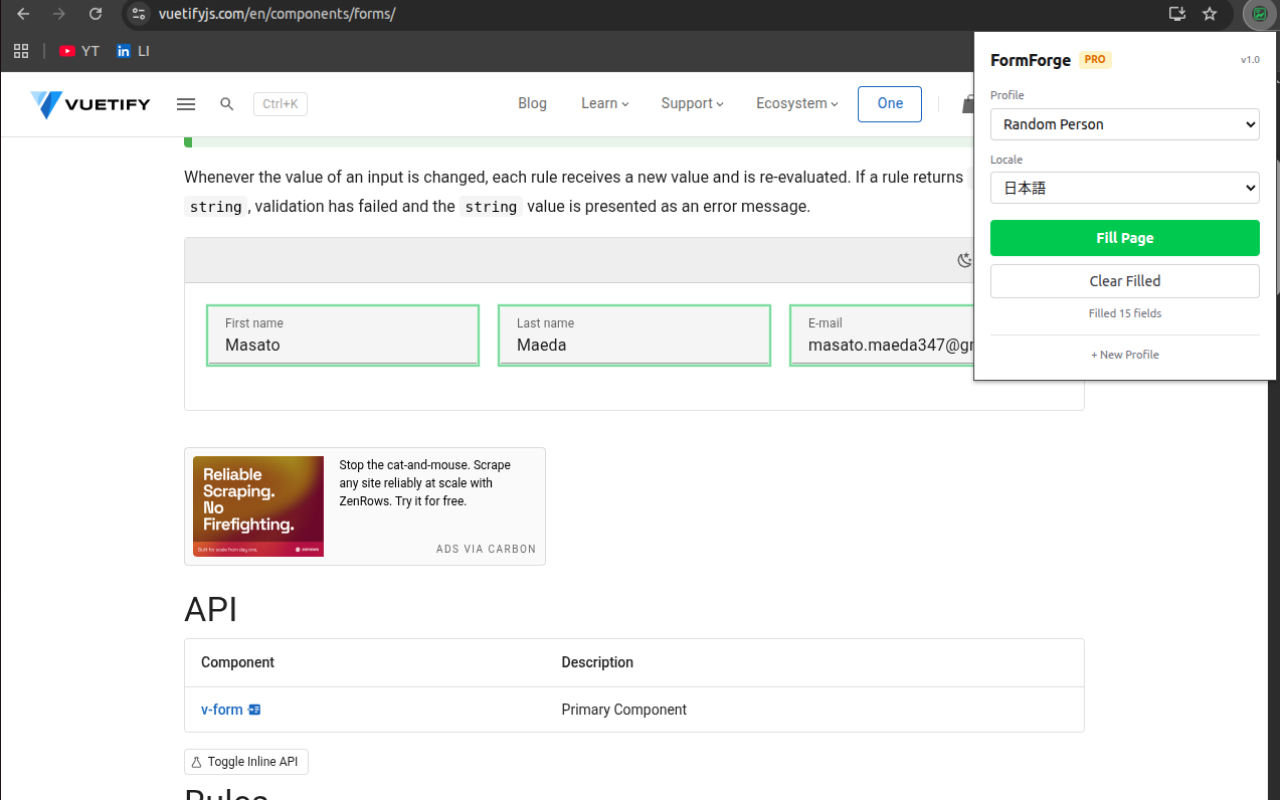
Live preview
Smart field detection, realistic profiles, locale-aware data, and shortcuts.
Product tour
See the extension in action.
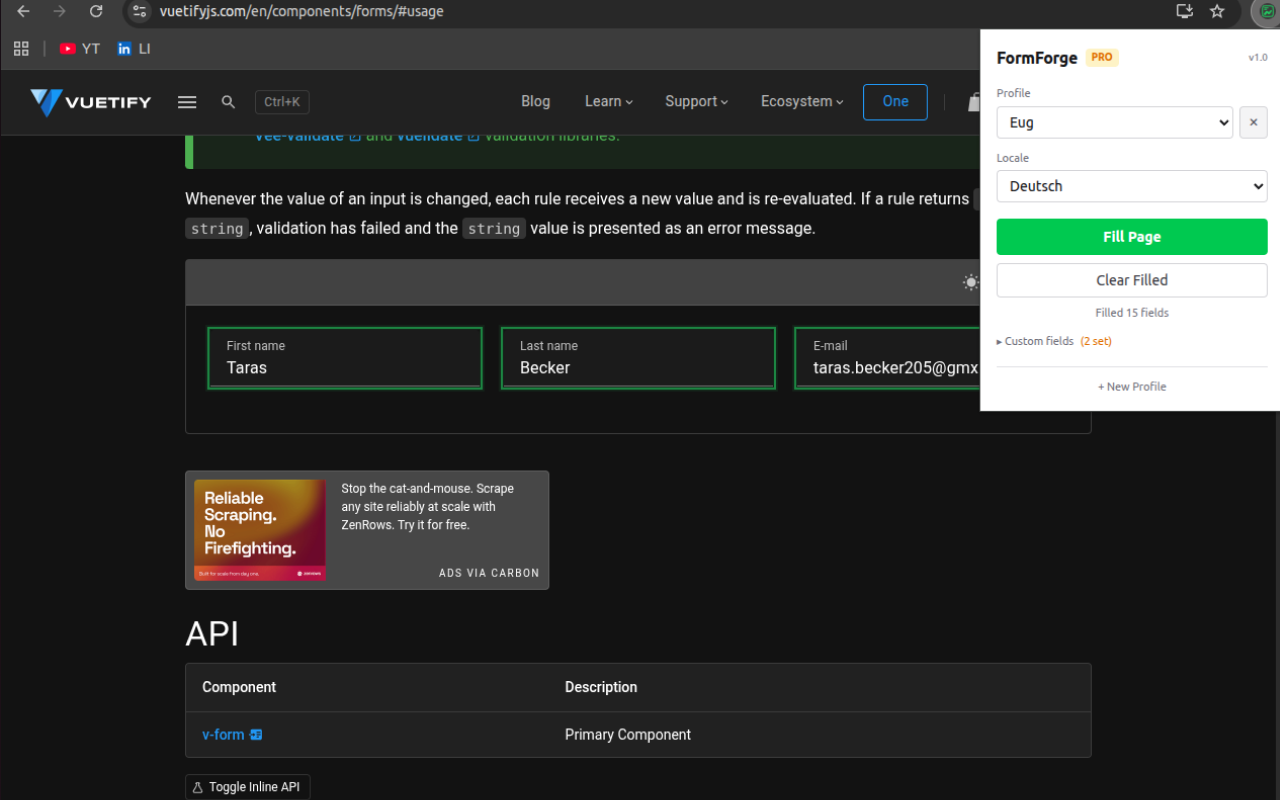
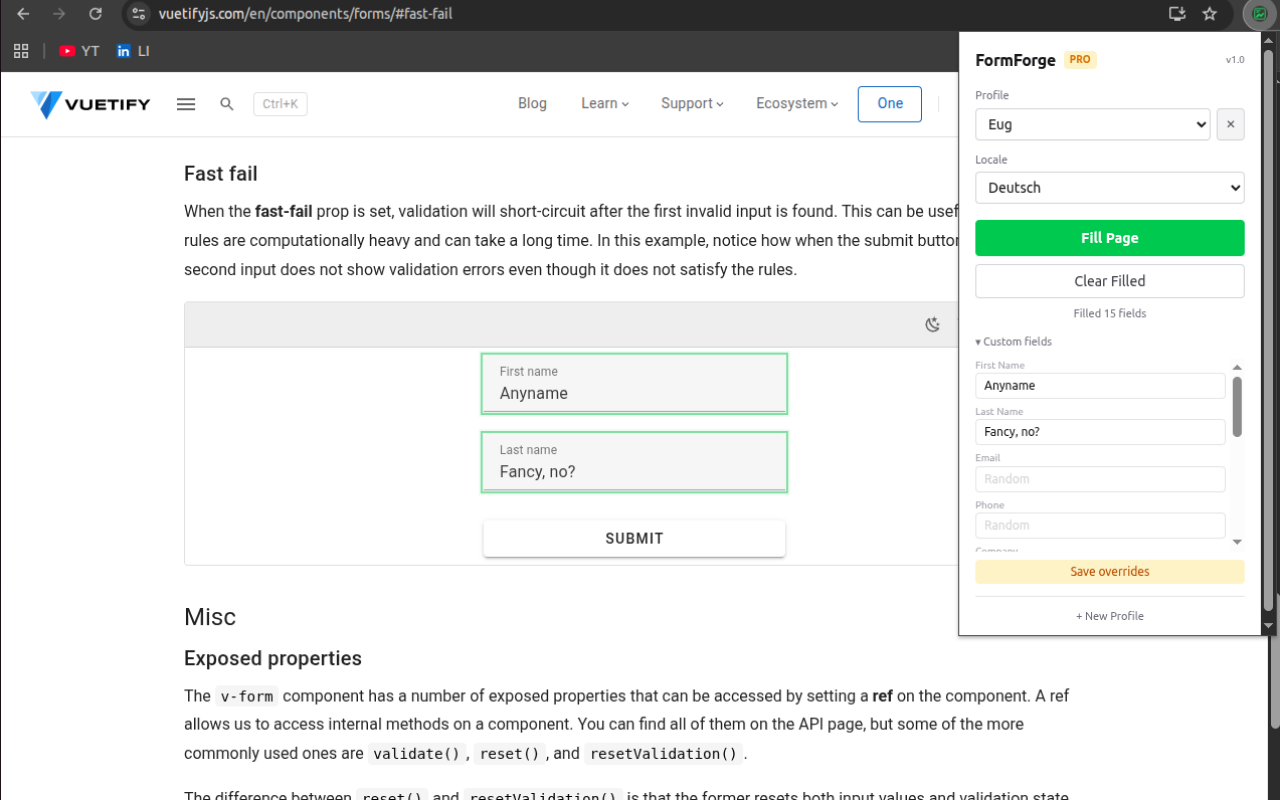
Feature set
Stop typing test@test.com into every form
FormForge turns repetitive form testing into a one-click workflow, with realistic identities, locale-aware data, and profile-based control.
Smart Field Detection
Detects first name, last name, email, phone, address, company, and more using autocomplete attributes, field names, labels, and placeholders. No configuration needed.
Coherent Identities
Generates a complete, realistic person for each fill - not random junk in every field. Name, email, username, and URL all match the same identity.
7 Locales
Native names, real street patterns, local phone formats, and regional companies for English (US/UK), Deutsch, Polski, Українська, Français, and 日本語.
Keyboard Shortcuts
Alt+F to fill, Alt+Shift+F to clear. No popup needed. Customizable via chrome://extensions/shortcuts. Designed for rapid form testing workflows.
Custom Profiles
Pin specific values like your test email or company name while randomizing everything else. Save multiple profiles and switch between them instantly.
Privacy First
No data collection. No analytics. No network requests except license validation. All data generation happens locally in your browser.
FAQ
Everything you need to know.
Straight answers on pricing, privacy, browser support, and how the extension behaves in real workflows.
Install
Free core filler. Pro for $2.99.
Smart form filling with English (US) is free. Unlock 7 locales, custom profiles, field overrides, and faster testing workflows with a one-time purchase.